Cloudflare has some excellent benefits when using it’s DNS proxy feature:
- Automatic DDOS protection
- Edge caching
- IP address obfuscation

The benefits of the DDOS protection alone is very valuable, especially for being a completely free service.
Recently (Q4 2025) I have been tasked with building a new resilient infrastructure on AWS for meeting compliance requirements. When I migrated our DNS to the new application load balancer, the connection would break between Cloudflare and our application. Turning the proxy off fixed the problem.
But we wanted to use the proxy. Yes AWS does offer their Web Application Firewall service, but as with any AWS service, prices can spiral if you don’t get everything setup just right.
After some investigation, we discovered that there is a simple SSL setting that would resolve the broken connection.
In the “SSL/TLS Overview Page”, you need to change the encryption mode from “Full (Strict)” to just “Full”. This will tell Cloudflare not to validate the SSL certificate that the ALB provides.
In our case, this mattered because the certificate was issued for our application’s domain, not the hostname of the load balancer. When Cloudflare attempted to validate the SSL certificate in strict mode, it failed due to the SSL certificate not matching the ALB’s hostname. This caused the handshake to fail and the connection to break.
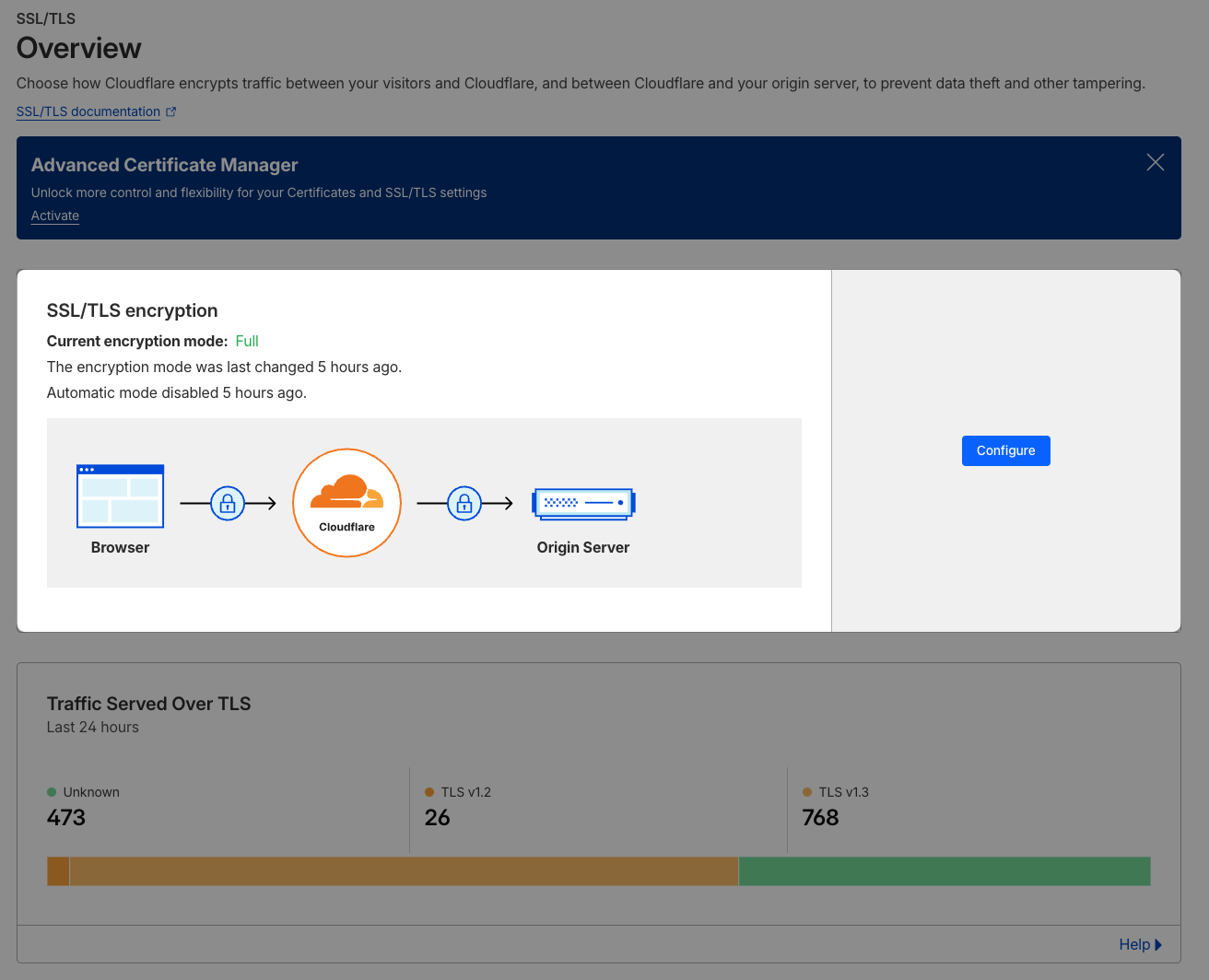
Once that was changed and we turned the proxy back on, everything worked great! 💪🏻